Security Speaker Unit Testing: How to Ensure Reliability Before Installation (Avoid Costly Failures)
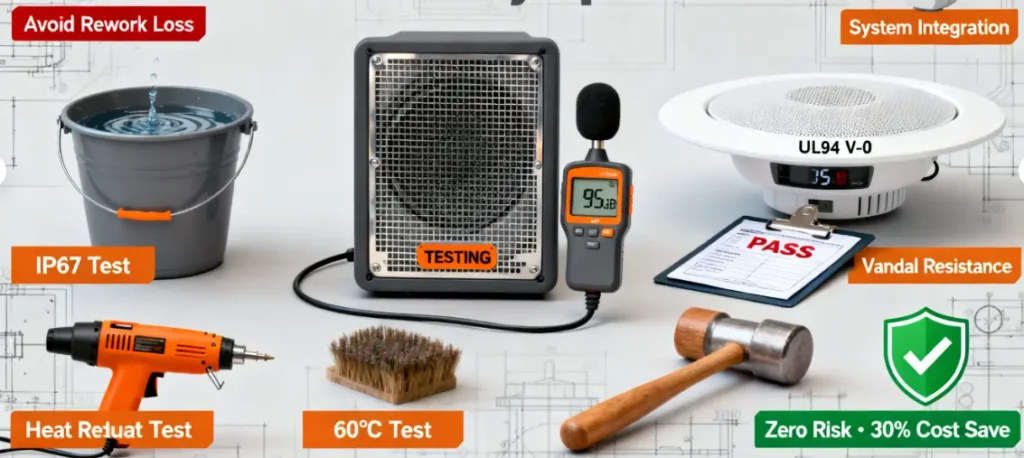
Installing a security speaker only to find it fails in rain, distorts alerts, or doesn’t integrate with your system is a costly mistake—It wastes time, money, and leaves your space unprotected. We’ve seen security teams redo entire installations because they skipped testing: A client installed 20 outdoor speakers without checking waterproofing—10 failed after the first rain, costing $2,000 to replace.
The solution is pre-installation testing—a set of simple, actionable tests to verify your security speakers meet all requirements (environmental resistance, clarity, integration). You don’t need fancy lab equipment—just basic tools and a focus on security-specific risks. Let’s break down the 5 critical tests for security speakers, how to perform them, and what to do if a speaker fails.
Test 1: Environmental Resistance (Water, Dust, Temperature)
Security speakers need to survive their intended environment—this test ensures they don’t fail when exposed to rain, dust, or extreme temps.
What You Need:
- For Water/Dust: IP test kit (or a bucket of water, pressure washer, and a dust chamber—DIY options work for basic checks).
- For Temperature: Freezer (simulates cold) and heat gun (simulates heat—keep below 70°C).
How to Test:
-
Waterproof Test (IP67 Check):
- Submerge the speaker in a bucket of water for 30 minutes (matches IP67 standards).
- After drying, play an alert—if there’s static, distortion, or no sound, it fails (water seeped in).
- For IP66: Use a pressure washer (low setting) to spray the speaker for 5 minutes—no water inside = pass.
-
Dust Test (IP6X Check):
- Place the speaker in a sealed container with flour (simulates dust) for 1 hour.
- Open the container and inspect the driver/ports—no dust inside = pass.
-
Temperature Test:
- Cold: Put the speaker in a freezer (-20°C) for 2 hours—play an alert afterward. No cracking or sound loss = pass.
- Heat: Use a heat gun to warm the speaker to 60°C (keep 6 inches away) for 1 hour—play an alert. No melted parts or distortion = pass.
What to Do If It Fails:
- Water/Dust: Return the speaker—look for a model with a higher IP rating (e.g., upgrade from IP65 to IP67).
- Temperature: Choose a speaker with cold-resistant cones or heat-resistant adhesives.
Test 2: Voice Clarity & Noise Resistance
Security speakers live in noisy environments—this test ensures alerts are understandable over machinery, wind, or crowds.
What You Need:
- Sound meter app (free on iOS/Android).
- Pre-recorded security alerts (e.g., “Evacuate to the south exit,” “Trespasser detected”).
- Noise source (fan, radio—simulates real-world noise).
How to Test:
- Baseline Clarity: Play the alert at 1m away—you should understand every word. If not, the speaker’s speech tuning is poor.
- Noise Resistance: Turn on the noise source to 85dB (simulates warehouse machinery). Play the alert at 5m away—use the sound meter to ensure the alert is 10dB louder than the noise (e.g., 95dB). If you can’t understand the alert, it fails.
- Distortion Test: Play the alert at max volume—no crackling, muffling, or “tinny” sound = pass. Use the sound meter to check THD (Total Harmonic Distortion)—should be <0.5%.
What to Do If It Fails:
- Clarity: Choose a speaker with speech boost (1kHz–3kHz) or higher sensitivity (≥93dB/mW).
- Noise Resistance: Upgrade to a higher-power speaker (10W+ RMS) to cut through noise.
Test 3: Integration with Alarm Systems
A speaker that doesn’t trigger with your alarm is useless—this test verifies seamless integration.
What You Need:
- Your alarm panel (wired/wireless/IP-based).
- Trigger device (test door contact, motion sensor).
How to Test:
-
Wired (RS485):
- Connect the speaker to the alarm panel via RS485.
- Trigger a zone breach (e.g., open the test door)—the speaker should play the correct alert in <1 second.
- Check for “zone matching”: Trigger different zones—each should play the assigned alert (no cross-zone errors).
-
Wireless (Wi-Fi/Z-Wave):
- Pair the speaker to the alarm app.
- Trigger a wireless sensor—alert should play in <500ms (use a stopwatch to time).
- Test battery backup: Cut power to the speaker—should still trigger via wireless.
-
IP-Based (POE):
- Connect the speaker to your IP network.
- Log into the security dashboard—trigger a camera motion event. The speaker should play the alert instantly.
What to Do If It Fails:
- Wired: Check cable connections (ensure shielded RS485 cables) or re-program the panel.
- Wireless: Move the speaker closer to the panel or update the panel’s firmware.
- IP-Based: Verify the speaker is on the same network as the dashboard or check for firewall blocks.
Test 4: Vandal Resistance (Outdoor Speakers)
Outdoor security speakers need to withstand tampering—this test ensures they don’t break or get stolen.
What You Need:
- Gloved hands (simulate vandal handling).
- Security screwdriver (to test anti-theft mounts).
- Rubber mallet (simulates impacts).
How to Test:
- Mount Test: Try to remove the speaker with a standard screwdriver—anti-theft mounts should require a special tool = pass.
- Impact Test: Tap the speaker’s casing with a rubber mallet (moderate force)—no cracks, dents, or loose parts = pass.
- Grille Test: Pull the grille with gloved hands—should stay secure (no easy removal) = pass.
What to Do If It Fails:
- Upgrade to a speaker with heavy-gauge steel casings or reinforced mounts.
Test 5: Fire Safety Compliance (Indoor Speakers)
Indoor security speakers must meet fire codes—this test avoids violations.
What You Need:
- Flame source (lighter—used carefully) + fire extinguisher.
- UL94 flammability chart (to verify rating).
How to Test (Basic Check—For Lab Certification, Use a Professional):
- Hold a lighter to the speaker’s casing for 10 seconds, then remove it.
- If the casing:
- Stops burning within 10 seconds = UL94 V-0 (pass—fire-retardant).
- Burns for >30 seconds = UL94 HB (fail—flammable).
What to Do If It Fails:
- Replace with a speaker labeled “UL94 V-0” or “Fire-Retardant” (critical for commercial buildings).
Post-Test: Create a Test Report
Document all results (pass/fail, issues found, fixes) for each speaker. This ensures you don’t install faulty units and provides a record for inspections.
A security integrator used this test process for a warehouse project—they caught 3 faulty outdoor speakers before installation, saving $1,500 in rework and avoiding a security gap.