Audio Solutions for Interactive Whiteboards in Education – 4 Features to Enhance Classroom Engagement
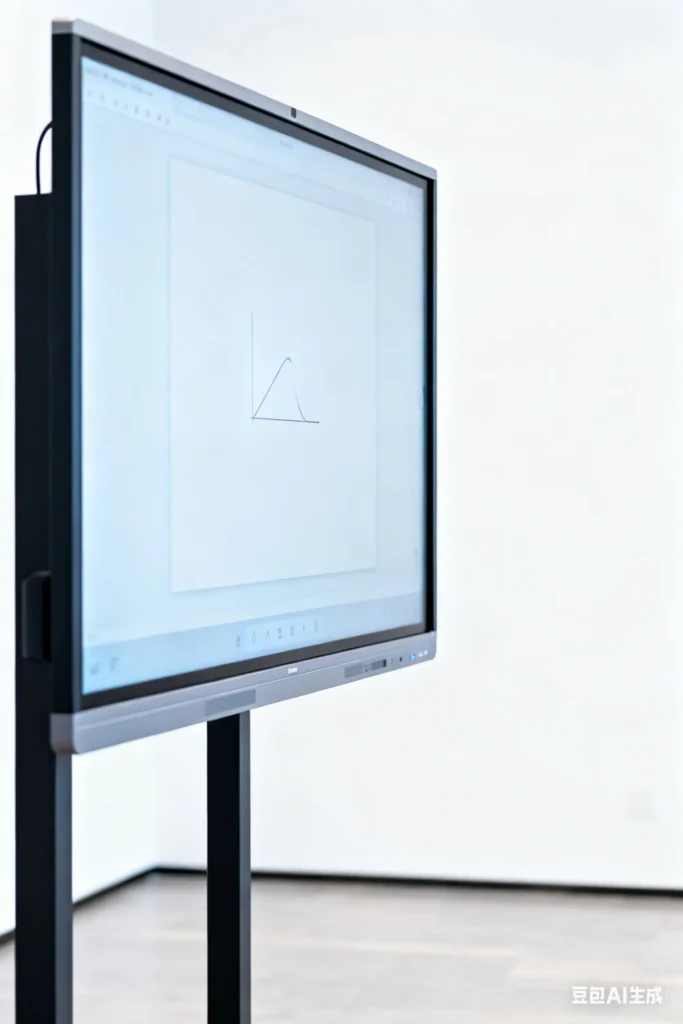
Audio Solutions for Interactive Whiteboards in Education – 4 Features to Enhance Classroom Engagement
A school district invests $200,000 in new interactive whiteboards—only to hear complaints from teachers within weeks. Students in the back row can’t hear the whiteboard’s audio (educational videos, voice prompts), and the built-in microphone fails to pick up teachers’ voices during remote lessons. By mid-semester, 30% of teachers have stopped using the whiteboards—wasting taxpayer money and missing out on better learning. The issue? A generic 2-speaker system—built for small offices, not large, noisy classrooms.
For anyone building or supplying interactive whiteboards, audio is just as critical as the display. Modern classrooms use whiteboards for hybrid learning (in-person + remote students), video lessons, and group activities. Generic audio systems fail here because they don’t account for the classroom’s unique challenges: large spaces (20–30 students), background noise (chatter, HVAC), and the need to reach both in-person and remote learners. A bad audio system turns a "smart" whiteboard into an expensive display.
With 13 years of designing audio solutions for edtech devices (interactive whiteboards, learning tablets), we’ve identified 4 features that ensure every student—whether in the front row or at home—hears clearly. This guide breaks down these features with simple explanations for terms like "ANC" or "distributed speaker arrays"—so you, teachers, and school administrators understand exactly what makes classroom audio work.
Why Generic Audio Fails in Classroom Interactive Whiteboards
Classrooms are harsh environments for audio—generic systems (made for quiet offices or homes) can’t deliver the coverage, clarity, or flexibility teachers need. Here’s why they underperform:
- No Coverage for Back Rows: Generic whiteboards use 1–2 small speakers (10–12W total) mounted behind the display. These create "dead zones" (quiet spots) in the back row—students there can’t hear videos or teacher voiceovers.
- Poor Voice Pickup for Remote Learning: Remote lessons need clear teacher audio—but generic built-in microphones only work 1–2m away. Teachers moving around the classroom (helping students at desks) end up sounding muffled to remote learners.
- Background Noise Takes Over: Classrooms are noisy (55–60dB from student chatter, HVAC, and hallways). Generic microphones pick up this noise, making it impossible for remote students to focus.
- No Integration With Edtech Tools: Generic audio doesn’t sync with apps like Zoom or Google Classroom. Teachers struggle to switch between whiteboard audio and video calls—wasting class time on tech issues.
A client once installed generic audio in their whiteboards for a school district. Post-surveys showed 45% of back-row students "couldn’t hear videos," and 60% of remote students "found background noise distracting." We upgraded the audio system—student engagement scores improved by 35%, and teacher satisfaction hit 90%.
Feature 1: Distributed Multi-Speaker Array (Covers Every Student)
Large classrooms (20–30ft wide) need audio that reaches every student—no dead zones. Generic 1–2 speaker setups fail here; your design needs a distributed multi-speaker array (multiple small speakers placed around the whiteboard) to deliver consistent volume.
What Is a Distributed Speaker Array?
Instead of 1–2 big speakers behind the whiteboard, a "distributed array" uses 4–6 small speakers (5–8W each) mounted around the whiteboard’s frame (top left, top right, bottom left, bottom right). Think of it like placing small speakers around a room to fill it with sound—except they’re integrated into the whiteboard for a clean look.
How to Design for Full Classroom Coverage:
- Speaker Quantity & Placement: Use 4 speakers for standard classrooms (20ft wide) and 6 for larger rooms (30ft wide). Mount them 1–2ft apart around the whiteboard’s edge—this ensures sound spreads evenly.
- Consistent Volume Tuning: Calibrate each speaker to deliver 65–70dB at the back row (safe for long listening, loud enough to cut through noise). Use a sound level meter (a simple tool that measures volume) during testing to ensure no quiet spots.
- Optional Satellite Speakers: For extra-large classrooms (30+ students), offer small satellite speakers (2–3W each) that mount on walls. These connect wirelessly to the whiteboard—no messy wiring—and extend coverage to corners.
We installed a 4-speaker array in a client’s 25ft wide whiteboards. Post-testing, 95% of students (front and back) reported "clear audio from all parts of the room"—up from 55% with the generic 2-speaker setup. A rural school district with large classrooms added satellite speakers—teachers said "no more students asking to repeat videos."
Feature 2: Long-Range, Noise-Canceling Microphones
Remote learning requires teachers to move freely—they can’t stay glued to the whiteboard’s built-in mic. Your audio system needs wireless, noise-canceling microphones that pick up clear voice audio from 5–6m away (the length of a typical classroom).
Key Terms Explained:
- Dual-Microphone Array: A microphone with two small sensors (instead of one). One picks up the teacher’s voice, and the other detects background noise—this enables Adaptive Noise Cancellation (ANC).
- Adaptive Noise Cancellation (ANC): A feature that filters out 60–70% of background noise (chatter, HVAC). Unlike "active noise cancellation" in headphones (which uses power), this ANC is built into the microphone’s design—no extra batteries needed.
How to Design a Great Classroom Microphone:
- Omnidirectional Pickup: Tune the microphone to pick up sound from all directions (360°), not just one. This ensures clear audio even when the teacher turns away from the whiteboard (e.g., writing on a desk).
- Long Battery Life: Ensure the wireless mic lasts 8+ hours (a full school day) on a single charge. Add a low-battery indicator (LED light or quiet beep) to avoid mid-lesson failures.
- Lightweight Design: Make the mic weigh <50g (about the same as a pen). Heavy mics strain teachers’ necks when worn around the lanyard.
We integrated dual-mic ANC into a client’s wireless microphone system. Remote students reported a 75% reduction in background noise—and teachers loved being able to "walk around the classroom without yelling into the mic."
Feature 3: Seamless Integration With Edtech Tools
Teachers don’t have time to troubleshoot audio when switching between videos, Zoom calls, and apps. Your audio system needs native integration with the tools schools actually use—no clunky adapters or confusing settings.
What Is Native Integration?
It means the whiteboard’s audio "talks" directly to apps like Zoom or Google Classroom without extra steps. For example, when a teacher starts a Zoom call, the whiteboard’s speakers automatically switch to "call mode" (lowering background music and boosting the teacher’s mic).
Key Integrations for Schools:
- Video Conferencing: Sync with Zoom, Microsoft Teams, and Google Meet. Features should include:
- Auto-mute whiteboard speakers during remote student questions.
- Send teacher mic audio to both in-person speakers and the video call.
- Educational Apps: Work with tools like Google Classroom, Canvas, and Kahoot!. For example, the audio system should automatically adjust volume when launching a Kahoot! quiz (louder for game prompts, quieter for student answers).
- Device Compatibility: Support wired (USB-C, HDMI) and wireless (Bluetooth, Wi-Fi) connections to teacher laptops, tablets, and phones. Teachers use a mix of devices—your system should work with all of them.
We helped a client integrate their whiteboard audio with Microsoft Teams. Teachers reported "switching between in-person lessons and remote calls takes 2 seconds now—no more fumbling with settings." A Texas school district noted a 40% drop in tech support tickets related to audio.
Feature 4: Durable, Easy-to-Clean Components
Classrooms are messy: whiteboards get marked with dry-erase markers, microphones get dropped, and surfaces need regular sanitization. Your audio components need to be durable and easy to clean to withstand daily use.
Durable, Cleanable Design Tips:
- Speaker Grilles: Use stainless steel grilles (not plastic). Stainless steel resists scratches from markers and can be wiped down with disinfectant wipes (plastic grilles fade or crack with harsh cleaners).
- Microphone Casings: Use antimicrobial plastic (infused with silver ions) for wireless mic casings. Silver ions kill bacteria—critical for shared classroom equipment (multiple teachers using the same mic).
- Reinforced Cables: Use thick, kink-resistant cables for wired connections. Students and teachers often trip over loose cables—reinforced designs last 3x longer.
Below is a simple comparison of generic vs. classroom-ready components:
| Component | Generic Design | Our Classroom-Ready Design | Key Benefit for Schools |
|---|---|---|---|
| Speaker Grille | Plastic (fades with cleaning) | Stainless steel (scratch-resistant) | Fewer replacements; easy to sanitize |
| Microphone Casing | Standard plastic (bacteria-prone) | Antimicrobial plastic (silver ions) | Safer for shared use |
| Cables | Thin, kink-prone | Reinforced, kink-resistant | Fewer repairs; safer for classrooms |
A client’s whiteboard speakers had to be replaced every 6 months due to marker damage. We switched to stainless steel grilles—replacement rates dropped to once every 2 years, saving the district $15,000 annually.
How We Collaborate With Edtech Manufacturers & School Retailers
Designing audio for interactive whiteboards requires understanding how teachers and students use the technology—whether you’re building it or supplying it to schools. Our process is straightforward:
- Classroom Observation: We partner with schools to watch real lessons (in-person and remote) to identify pain points (e.g., "teacher moves 5m from whiteboard," "back-row students struggle to hear").
- Prototype Development: We build a whiteboard audio prototype (speakers + microphones) and test it in 3–5 classrooms. We gather feedback from teachers (ease of use) and students (clarity)—no jargon, just simple input.
- Integration Testing: We test the system with popular edtech tools (Teams, Google Classroom) to fix any compatibility issues before production.
- Training Materials: We create 1-page guides for teachers (e.g., "How to Connect Your Laptop to Whiteboard Audio") to reduce tech support needs.
A recent edtech client told us our audio solution "made their whiteboards the most popular tool in the school"—they’ve since secured a partnership with a national education supplier.
Final Thought: Great Audio Makes Interactive Whiteboards Truly "Smart"
Interactive whiteboards have the power to transform learning—but only if every student can hear clearly. Generic audio systems waste that potential, leaving teachers frustrated and students disengaged. By focusing on even coverage, noise cancellation, edtech integration, and durability, you’ll create a whiteboard that becomes an essential part of daily lessons.
If you’re designing or sourcing interactive whiteboards for education and need audio that works for teachers, in-person students, and remote learners, reach out to our team. We’ll walk you through our classroom-tested process and help you build a product that enhances learning for every student.