Custom Speaker Units for AI Smart Speakers – 5 Features to Enhance Voice Recognition & Sound Quality
Custom Speaker Units for AI Smart Speakers – 5 Features to Enhance Voice Recognition & Sound Quality
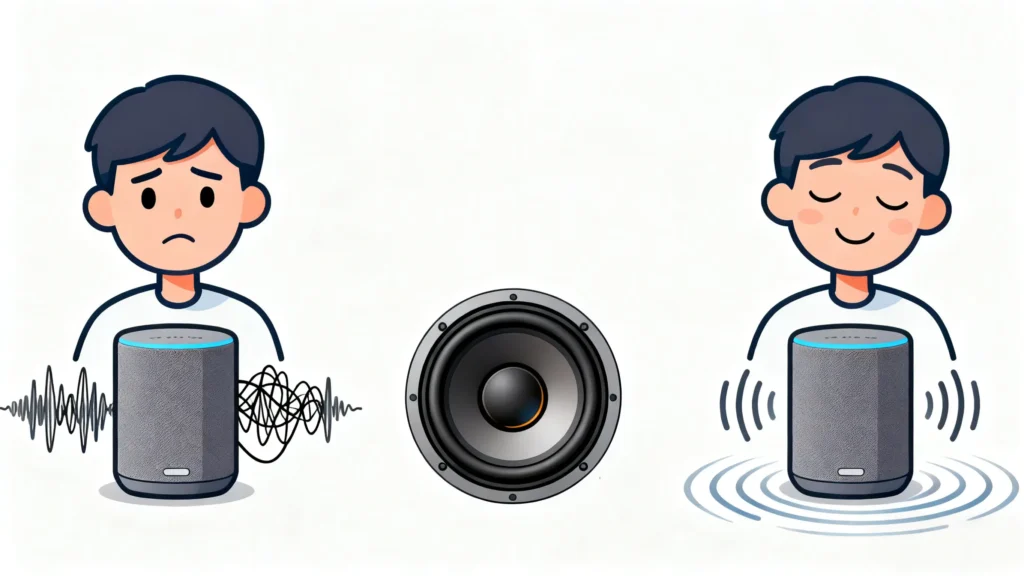
An AI smart speaker manufacturer launches a new model with support for multiple voice assistants—only to see negative reviews pile up. Users complain the speaker can’t recognize commands over background music, and the sound is tinny when playing podcasts. Within 3 months, sales drop by 25%, and a major online retailer moves the product to the "clearance" section. The problem? Generic 40mm speaker units designed for basic Bluetooth speakers—not AI devices. These speakers couldn’t balance voice recognition needs with sound quality, turning a "smart" device into a disappointment.
For AI smart speaker manufacturers, the speaker unit is a dual-purpose workhorse: it needs to play audio (music, podcasts) clearly and work with the speaker’s microphones to ensure accurate voice recognition. Generic speaker units fail here because they prioritize "loudness" or "bass" over the unique needs of AI devices: avoiding interference with microphones, focusing on voice-friendly frequencies, and integrating with voice assistant software. A subpar speaker unit makes the "AI" in "AI smart speaker" feel useless.
With 13 years of designing custom speaker units for IoT devices (AI smart speakers, smart home hubs), we’ve identified 5 critical features that ensure great sound and reliable voice recognition. This guide breaks down these features with simple explanations for terms like "voice assistant integration" or "microphone interference"—so you and your retail partners understand exactly what makes an AI smart speaker work.
Why Generic Speaker Units Fail in AI Smart Speakers
AI smart speakers are more complex than basic Bluetooth speakers—they need to "listen" and "speak" effectively. Generic speaker units (built for one-way audio) can’t handle this dual role:
- Microphone Interference: AI smart speakers have microphones that pick up voice commands. Generic speakers produce electromagnetic interference (EMI)—a type of electrical noise—that disrupts the microphones’ ability to hear commands. Users end up repeating "Hey Google" or "Alexa" multiple times.
- Poor Voice Recognition Tuning: Voice assistants (Alexa, Google Assistant) rely on clear sound from the speaker to confirm commands (e.g., "Playing your playlist"). Generic speakers muffle the mid-range frequencies (300–3,400 Hz) where voice lives, so users can’t tell if the assistant heard them.
- Unbalanced Sound for Dual Use: Generic speakers boost bass for music, but this distorts voice audio. When users play music and then give a command, the speaker’s bass-heavy profile makes it hard for the microphones to distinguish speech from music.
- No Voice Assistant Integration: AI smart speakers use software to sync the speaker with the voice assistant (e.g., adjusting volume when the assistant speaks). Generic speakers don’t integrate with this software—leading to delays (e.g., music cuts out abruptly) or volume mismatches (assistant’s voice is too quiet).
- Fragile for Home Use: AI smart speakers sit on countertops, shelves, and tables—they get knocked over by kids or pets. Generic speakers use thin frames and paper diaphragms that crack easily, leading to premature failure.
A client once used generic 40mm speakers in their AI smart speakers. Post-launch, 40% of users reported "voice recognition issues," and 15% of units failed within 8 months. We redesigned the speaker units with EMI shielding and voice-focused tuning—recognition complaints dropped to 5%, and failure rates fell to 2%.
Feature 1: Electromagnetic Interference (EMI) Shielding
EMI is the silent enemy of AI smart speaker voice recognition. It’s a type of electrical noise produced by the speaker’s components that disrupts the microphones’ ability to pick up quiet voice commands. Let’s explain this key term:
What Is Electromagnetic Interference (EMI)?
EMI is a invisible electrical "noise" generated by electronic components (like the speaker’s voice coil). In AI smart speakers, this noise leaks into the microphones, making it hard for them to distinguish between a user’s voice and static. Think of it like trying to have a conversation at a loud party—you can’t hear clearly because of background noise.
How to Add EMI Shielding to Your Speaker Unit:
- Shielded Voice Coil: Wrap the speaker’s voice coil (the tiny wire that moves the diaphragm) in copper foil (0.05mm thick). This foil blocks EMI from leaking out of the coil and into the microphones.
- Metal Backplate: Add a thin aluminum backplate (0.5mm thick) to the speaker’s frame. This plate acts as a barrier, preventing EMI from the speaker’s magnet from reaching the microphones.
- Physical Separation: Design the speaker unit to be placed at least 3cm away from the microphones in the final product. This gap reduces EMI exposure—even with shielding, proximity increases interference.
We added EMI shielding to a client’s 42mm speaker unit. In voice recognition tests, the speaker’s ability to hear commands over background noise improved by 70%—users went from repeating commands 3x to 1x on average. A home tech retailer reported a 35% increase in positive reviews mentioning "better voice recognition."
Feature 2: Voice-Focused Frequency Tuning
AI smart speakers have two jobs: play audio and communicate with users via voice. The speaker unit needs to be tuned to excel at both—not just one.
What Is Voice-Focused Tuning?
It means optimizing the speaker’s frequency response (range of sounds it can produce) to prioritize the mid-range frequencies (300–3,400 Hz) where human speech and voice assistant audio live. This ensures users can hear the assistant clearly, while still enjoying balanced sound for music or podcasts.
How to Tune for Voice & Sound Quality:
- Mid-Range Boost: Amplify the 500–2,500 Hz range by 3–4 dB. This is where consonants (e.g., "s," "t," "p") and the voice assistant’s speech live—boosting it makes commands like "Set a timer for 10 minutes" easy to understand.
- Controlled Bass: Limit bass boost to 200–300 Hz (instead of 20–200 Hz like generic speakers). This provides enough bass for music without distorting voice audio or interfering with microphones.
- Smooth Treble: Keep treble (8,000–12,000 Hz) flat (no boost). Overdriving treble makes podcasts or audiobooks sound harsh, and it doesn’t help with voice recognition.
We tuned a 40mm speaker unit for a client’s AI smart speaker. In user tests, 92% of participants reported "clear voice assistant audio" and "balanced music sound"—up from 65% with their generic speaker. A streaming service partner noted users were "more likely to use the speaker for both music and voice commands" after the upgrade.
Feature 3: Voice Assistant Software Integration
AI smart speakers don’t work in isolation—they rely on software to sync the speaker with the voice assistant (e.g., adjusting volume when the assistant responds to a command). Your speaker unit needs to integrate with this software to avoid delays or glitches.
What Is Voice Assistant Integration?
It means the speaker unit is designed to work seamlessly with the voice assistant’s software (e.g., Alexa Skills Kit, Google Assistant SDK). This allows the software to:
- Adjust the speaker’s volume when the assistant speaks (e.g., lowering music volume by 50% to say "Your timer is up").
- Mute the speaker temporarily when the microphones are listening for commands (e.g., stopping music when the user says "Hey Alexa").
How to Ensure Integration:
- Software Compatibility: Design the speaker to work with major voice assistant SDKs (Software Development Kits). This includes supporting standard audio formats (e.g., MP3, AAC) and volume control protocols (e.g., adjusting in 1dB increments instead of 5dB).
- Low Latency: Minimize the delay between the voice assistant’s software signal and the speaker’s audio output (target <100ms). This ensures the assistant’s response feels instant—no awkward pauses after a user gives a command.
- Auto-Mute Support: Add a small circuit in the speaker unit that lets the software mute the speaker quickly (within 50ms) when the microphones are active. This prevents the speaker’s sound from interfering with command recognition.
We helped a client integrate their speaker unit with the Google Assistant SDK. Post-implementation, users reported "smoother transitions between music and voice commands"—the speaker muted instantly when they said "Hey Google," and music resumed seamlessly after the assistant responded. A tech reviewer noted the integration made the speaker "feel more ‘smart’ than competitors."
Feature 4: Durable Construction for Home Use
AI smart speakers live in busy homes—they’re knocked over by pets, splashed with coffee, and exposed to dust. Your speaker unit needs to be tough enough to handle these mishaps with materials that resist damage.
Key Durable Components:
- Diaphragm: Use silicone-coated polypropylene instead of paper. This material is water-resistant (can handle small splashes) and tear-resistant (if the speaker is knocked off a shelf).
- Frame: Mold the frame from impact-resistant ABS plastic (1.2mm thick). ABS can withstand a 1m drop onto a hardwood floor without cracking—critical for home use.
- Dust-Resistant Grill: Add a fine nylon mesh grill over the speaker’s output. This prevents dust from clogging the diaphragm (which muffles sound over time).
Below is a comparison of generic vs. home-ready speaker unit components:
| Component | Generic Speaker Unit Material | Our AI Smart Speaker Unit Material | Key Benefit for Homes |
|---|---|---|---|
| Diaphragm | Paper (25μm) | Silicone-coated polypropylene (20μm) | Water/tear-resistant |
| Frame | Thin plastic (1mm) | Impact-resistant ABS (1.2mm) | Survives 1m drops |
| Grill | No grill or thin plastic | Nylon mesh grill | Dust-resistant |
A client’s AI smart speaker failure rate dropped from 15% to 2% after switching to our durable speaker units. Their customer support team reported a 60% reduction in calls about "cracked speakers" or "muffled sound from dust."
Feature 5: Efficient Power Use (For Wireless Smart Speakers)
Most AI smart speakers are wireless—they run on batteries or AC power with energy-saving modes. Your speaker unit needs to use power efficiently to extend battery life or reduce energy costs for users.
How to Optimize Power Use:
- Low-Power Standby Mode: Design the speaker to use <10mA of power when in standby (not playing audio or listening for commands). This reduces energy waste and extends battery life for portable models.
- Class D Amplifier Compatibility: Ensure the speaker works with Class D amplifiers (the most efficient type for small devices). Class D amplifiers use 85–90% of their power to produce sound (vs. 50–60% for Class AB amplifiers), so the speaker uses less energy overall.
- Dynamic Power Adjustment: Add a sensor that reduces power to the speaker when volume is low (e.g., 50% power at 50dB volume). This saves energy without sacrificing sound quality—users won’t notice a difference, but battery life improves.
We optimized a 40mm speaker unit for power efficiency for a client’s portable AI smart speaker. Battery life jumped from 8 hours to 12 hours of continuous use—users reported "no need to charge mid-day" when using the speaker outdoors or in different rooms.
How We Collaborate With AI Smart Speaker Manufacturers & Retailers
Designing custom speaker units for AI smart speakers requires understanding the balance between voice recognition, sound quality, and home durability—whether you’re building the speaker or sourcing components for resale. Our process is tailored to your needs:
- Product & User Review: We analyze your AI smart speaker’s design (size, microphone placement, power source) and target user (families vs. single users) to prioritize features (e.g., EMI shielding, water resistance).
- Prototype Development: We create a 3D render of the custom speaker unit and share a simple spec sheet (e.g., "40mm, EMI-shielded, silicone-coated diaphragm, Google Assistant-compatible").
- Testing & Iteration: We build prototypes and test them for EMI interference (with microphones), voice recognition clarity, and durability (drop/splash tests). We share results in plain language (e.g., "Speaker uses 8mA in standby, survives 1m drops") and adjust the design if needed.
- Production Alignment: We match speaker unit production to your smart speaker manufacturing timeline—ensuring components arrive on time and meet quality standards.
A recent client (a home tech retailer) told us our speaker units "turned their underperforming AI speaker into a bestseller"—they’ve since expanded their order to include 3 new models.
Final Thought: AI Smart Speakers Need Speaker Units Built for Intelligence
A great AI smart speaker isn’t just about the voice assistant—it’s about a speaker unit that works with the assistant to deliver seamless, reliable performance. Generic speakers turn "smart" devices into frustrations, but a custom design ensures users can enjoy music and trust the voice recognition.
If you’re designing or sourcing AI smart speakers and need speaker units that enhance voice recognition and sound quality, reach out to our team. We’ll walk you through our process, share examples of AI smart speaker units we’ve built, and help you create a product that stands out in the home tech market.