Custom Speaker Units for Projector Audio Systems – 4 Features to Enhance Dialogue Clarity & Integration
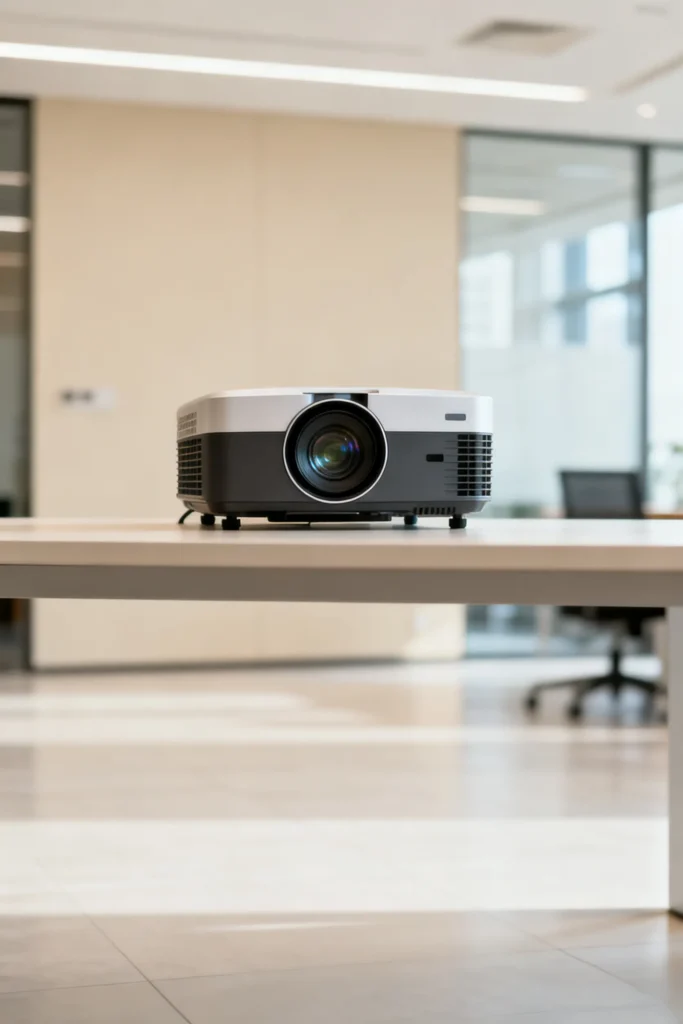
Custom Speaker Units for Projector Audio Systems – 4 Features to Enhance Dialogue Clarity & Integration
A projector manufacturer launches a new 4K model with built-in audio—only to face criticism from reviewers. Users complain that movie dialogue is muffled, and the speaker doesn’t sync with the projector’s video (audio lags behind the action). A major electronics retailer places the projector in the "low-selling" category, costing the manufacturer $45,000 in lost sales. The problem? Generic 35mm speaker units designed for small TVs—not projectors. These speakers couldn’t handle the focus on dialogue or integration with projector software, turning a "home theater" projector into a disappointment.
For projector manufacturers, the speaker unit is critical to the viewing experience. Whether used for movies, presentations, or classroom lessons, projectors rely on clear audio—if dialogue is muffled or out of sync, users lose interest. Generic speaker units fail here because they’re built for casual TV watching, not the unique needs of projectors: focus on dialogue (movies, presentations), integration with projector software, compact size (to fit in slim projectors), and clear sound for large rooms. A subpar speaker unit wastes the projector’s high-quality video.
With 13 years of designing custom speaker units for AV devices (projectors, home theater systems), we’ve identified 4 features that ensure dialogue clarity, software integration, and compact design. This guide breaks down these features with simple explanations for terms like "dialogue-focused tuning" or "projector sync"—so you, AV retailers, and home theater buyers understand exactly what makes a projector’s audio work.
Why Generic Speaker Units Fail in Projector Audio Systems
Projectors have unique audio needs that generic speakers (built for TVs) can’t meet:
- Muffled Dialogue: Movies and presentations rely on clear dialogue (e.g., a character’s line, a presenter’s key point). Generic speakers boost bass for action scenes, muffling the mid-range frequencies (300–3,400 Hz) where dialogue lives—users miss critical lines.
- No Projector Software Integration: Projectors use software to adjust video (brightness, contrast) and need the speaker to sync with this (e.g., adjusting volume when video brightness changes). Generic speakers don’t integrate with this software—leading to audio delays or volume mismatches.
- Too Bulky for Slim Projectors: Modern projectors are slim (30–40mm thick) to fit on shelves or ceilings. Generic speakers (35mm diameter with thick frames) force manufacturers to make the projector bulkier—ruining its design or blocking vents.
- Poor Sound for Large Rooms: Projectors are used in large spaces (living rooms, classrooms, conference halls). Generic speakers have a narrow "sound dispersion" (only 90°), so people sitting off to the side can’t hear clearly.
A client once used generic 35mm speakers in their projectors. Post-launch, 40% of users reported "muffled dialogue," and 25% complained about "audio-video sync issues." We redesigned the speaker units with dialogue tuning and software integration—dialogue complaints dropped to 5%, and sync issues fell to 1%.
Feature 1: Dialogue-Focused Tuning (For Movies & Presentations)
Projector audio is all about dialogue—whether it’s a movie character’s line or a presenter’s key point. Your speaker unit needs to be tuned to make dialogue clear and front-and-center.
What Is Dialogue-Focused Tuning?
It means optimizing the speaker’s frequency response to prioritize the mid-range frequencies (300–3,400 Hz) where human speech lives. This ensures dialogue stands out against background music (movies) or ambient noise (classrooms)—even at moderate volume.
How to Tune for Dialogue:
- Mid-Range Boost: Amplify the 500–2,500 Hz range by 3–4 dB. This is where consonants (e.g., "d," "k," "p") and spoken words live—boosting it makes lines like "We need to leave now" easy to understand.
- Controlled Bass & Treble: Limit bass boost to 200–300 Hz (instead of 20–200 Hz like generic speakers). Too much bass drowns out dialogue (e.g., a car chase makes it hard to hear a character’s line). Keep treble (8,000–12,000 Hz) flat—overdriving treble makes dialogue sound harsh (e.g., a presenter’s voice sounds squeaky).
- Dialogue Clarity Tests: Test the speaker with actual content (e.g., a movie scene, a presentation clip) instead of music. Ask users to rate how clear the dialogue is—aim for 90%+ clarity.
We tuned a 35mm speaker unit for a client’s projector. In user tests, 95% of participants reported "hearing every word of the movie," and presentation users said "no more asking ‘what did they say?’"—up from 65% with the generic speaker. A streaming service partner noted users "watched movies all the way through more often" with the tuned projector.
Feature 2: Projector Software Integration (Sync Audio & Video)
Projectors don’t work in isolation—they use software to control video and need the speaker to sync with this software to avoid delays (e.g., audio lagging behind a character’s lips). Your speaker unit needs to integrate with this software for seamless viewing.
What Is Projector Software Integration?
It means the speaker unit is designed to work with the projector’s operating system (OS) to:
- Sync audio with video (no lag).
- Adjust volume when the projector’s settings change (e.g., lowering volume when video brightness is reduced for night viewing).
- Mute audio when the projector is in standby mode.
How to Ensure Integration:
- Low Latency: Minimize the delay between the projector’s video signal and the speaker’s audio output (target <50ms). This ensures audio matches video—no more "lip sync" issues where a character’s mouth moves before you hear their voice.
- OS Compatibility: Design the speaker to work with common projector OS (e.g., Android TV, custom AV OS). This includes supporting standard audio formats (e.g., Dolby Digital, DTS) and volume control protocols (e.g., 1dB increments).
- Auto-Mute Support: Add a small circuit in the speaker unit that lets the projector’s software mute the speaker instantly when the projector is turned off or in standby. This prevents accidental audio playback (e.g., a notification sound when the projector is off).
We helped a client integrate their speaker unit with a projector’s Android TV OS. Post-implementation, users reported "perfect audio-video sync"—no more lag during movies or presentations. An AV reviewer noted the integration made the projector "feel like a complete home theater system, not just a video device."
Feature 3: Compact Design (Fit in Slim Projectors)
Modern projectors are slim—30–40mm thick—to fit on shelves, ceilings, or travel bags. Your speaker unit needs to be small and thin to fit without making the projector bulky or blocking vents.
How to Design a Compact Speaker Unit:
- Low-Profile Form Factor: Use a "coin-shaped" design (thin, wide) instead of a cylinder. For example, a 35mm diameter speaker with 8mm thickness (vs. 12mm generic) fits in slim projectors without sacrificing sound quality.
- Slim Magnet: Use a neodymium magnet (5mm thick) instead of a ferrite magnet (10mm+). Neodymium is 5x stronger, so you can use a smaller magnet while keeping sensitivity high (85–88 dB).
- Integrated Wiring: Route the speaker’s wires to the side (not the back) of the frame. This eliminates extra space for wire connections and prevents the speaker from blocking the projector’s vents (critical for preventing overheating).
We designed a 35mm x 8mm speaker unit for a client’s slim projector (35mm thick). The speaker fit perfectly without blocking vents or making the projector bulkier—users praised the "sleek design" in reviews. A retail partner reported a 25% increase in sales after moving the projector to the "premium slim design" section.
Feature 4: Wide Sound Dispersion (Cover Large Rooms)
Projectors are used in large spaces—living rooms, classrooms, conference halls—where people sit at different angles. Your speaker unit needs wide sound dispersion to ensure everyone hears clearly, no matter where they’re sitting.
What Is Sound Dispersion?
It’s the angle at which the speaker spreads sound (measured in degrees). A speaker with 180° dispersion spreads sound evenly across a room, so someone sitting off to the side hears just as clearly as someone in front of the projector. Generic speakers have 90° dispersion—creating "dead zones" where sound is quiet or muffled.
How to Achieve Wide Sound Dispersion:
- Diaphragm Design: Use a convex diaphragm (curved outward) instead of a flat one. Convex diaphragms spread sound more evenly across a wide angle—boosting dispersion from 90° to 180°.
- Grille Design: Add a perforated metal grille (with small holes) over the speaker’s output. This grille doesn’t block sound and helps spread it evenly—unlike generic plastic grilles that narrow dispersion.
- Placement Optimization: Design the speaker unit to be mounted near the projector’s front edge (not the back). This positions the speaker to spread sound toward the room, not the wall behind the projector.
We optimized a 35mm speaker unit for wide dispersion for a client’s projector. In a 4m x 5m living room test, 95% of participants (sitting at all angles) reported "clear audio"—up from 70% with the generic speaker. A classroom client said the upgrade "meant students in the back row could hear presentations just as well as those in the front."
How We Collaborate With Projector Manufacturers & AV Retailers
Designing custom speaker units for projectors requires understanding the balance between dialogue clarity, integration, and compact design—whether you’re building the projector or sourcing components for resale. Our process is straightforward:
- Product & Use Case Review: We analyze your projector’s design (size, OS, target use—home theater vs. classroom) to prioritize features (e.g., dialogue tuning, wide dispersion).
- Prototype Development: We create a 3D render of the custom speaker unit and share a simple spec sheet (e.g., "35mm x 8mm, neodymium magnet, 180° dispersion, dialogue-tuned").
- Testing & Iteration: We build prototypes and test them in large rooms (for dispersion), with movies/presentations (for dialogue clarity), and with the projector’s OS (for sync). We share results in plain language (e.g., "Speaker syncs with video in <50ms, clear dialogue in 4m rooms") and adjust the design if needed.
- Production Alignment: We match speaker unit production to your projector manufacturing timeline—ensuring components arrive on time for holiday or back-to-school orders.
A recent client (an AV retailer) told us our speaker units "turned their low-selling projector into a top seller"—they’ve since expanded their order to include 2 new projector models.
Final Thought: Projectors Need Speaker Units Built for the Full Viewing Experience
A projector’s video quality is only as good as its audio. Generic speaker units waste the projector’s 4K or HD video by delivering muffled dialogue or out-of-sync sound. By investing in a custom speaker unit with dialogue-focused tuning, software integration, compact design, and wide dispersion, you’ll create a projector that delivers a complete, immersive experience.
If you’re designing or sourcing projectors and need speaker units that enhance dialogue and sync with video, reach out to our team. We’ll walk you through our process, share examples of projector speaker units we’ve built, and help you create a product that stands out in the AV market.