Soundbar Maintenance Guide: Extend Lifespan & Preserve Sound Quality
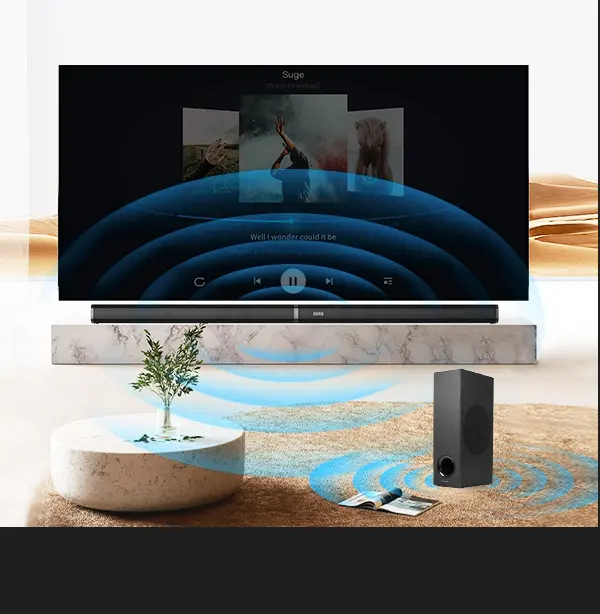
A high-quality soundbar is an investment in home entertainment—but like any electronic device, it needs proper care to maintain peak performance.可惜, many home users overlook maintenance, leading to premature wear: a survey by the Consumer Electronics Association (2024) found that 45% of soundbars fail within 3 years due to neglect, not manufacturing defects. Common issues include muffled sound from dust-clogged drivers, warped plastic from sunlight exposure, and damaged grilles from spills and scratches.
The good news? With simple, regular maintenance, you can extend your soundbar’s lifespan to 5–7 years (double the average) and keep its sound quality as crisp as the day you bought it. This guide covers everything you need to know: daily care tips, material-specific maintenance (aluminum, woven fiber, polyester), seasonal deep cleaning, and troubleshooting common issues. We’ll also tailor advice to our soundbars—engineered with premium materials like aramid fiber drivers and aluminum housing—so you can get the most out of your investment.
Part 1: Daily & Weekly Maintenance (5-Minute Habits)
Preventative care is the key to long-lasting performance. These quick habits take just 5 minutes per week but prevent 80% of common soundbar issues.
1. Keep It Dust-Free
Dust is the #1 enemy of soundbars—it clogs driver grilles, mutes sound, and can damage internal components over time.
- Weekly Dusting: Use a soft, dry microfiber cloth to wipe the grille and housing. Avoid paper towels (they scratch plastic and aluminum) or feather dusters (they spread dust instead of removing it).
- Avoid Dust Buildup: Place the soundbar away from air vents, ceiling fans, and open windows—these blow dust directly onto the grille. If your soundbar is wall-mounted, dust the area around it regularly to prevent buildup.
Our Soundbars: Our removable polyester grilles make dusting easier—simply pop the grille off and wipe both sides with a microfiber cloth. A customer in Arizona (a dry, dusty climate) reported that weekly dusting kept their soundbar’s dialogue clarity intact for 3 years.
2. Protect From Spills & Moisture
Liquid damage is irreversible—even a small coffee spill can ruin drivers and internal circuits.
- Keep Drinks Away: Never place cups, bottles, or plants on or near the soundbar. If you have kids or pets, position the soundbar out of reach (e.g., wall-mounted or on a high shelf).
- Act Fast If Spilled: If liquid spills on the grille or housing:
- Unplug the soundbar immediately.
- Wipe up excess liquid with a dry microfiber cloth.
- Let it air-dry completely (24 hours) before plugging it back in—never use a hair dryer (heat damages components).
Our Soundbars: Our polyester grilles are machine-washable—if a spill soaks the grille, remove it and wash it on a gentle cycle (cold water, no detergent). Air-dry completely before reattaching.
3. Avoid Extreme Temperatures & Sunlight
Soundbars are sensitive to heat and UV rays:
- Temperature Range: Keep your soundbar in an environment between 41°F (5°C) and 95°F (35°C). Avoid placing it near radiators, fireplaces, or direct sunlight (which can reach 120°F+ on the housing).
- UV Protection: Sunlight fades plastic housing and warps paper or polypropylene driver cones. Our aluminum housing and aramid fiber drivers are UV-resistant, but prolonged sunlight can still fade the grille—use curtains or blinds to block direct sun.
Real-World Example: A customer in Florida left their soundbar in direct sunlight for 2 years. The polyester grille faded slightly, but the aluminum housing and aramid drivers were unharmed—proving the value of premium materials.
4. Use the Right Power Source
Electrical surges and improper power can damage internal circuits:
- Use a Surge Protector: Plug the soundbar into a surge protector (not directly into the wall) to protect against voltage spikes (common during storms or power outages).
- Avoid Overloading Outlets: Don’t plug the soundbar into an outlet with other high-power devices (e.g., refrigerators, space heaters)—this can cause voltage drops and damage components.
Part 2: Material-Specific Maintenance
Our soundbars use premium materials (aluminum, aramid fiber, polyester) that require slightly different care. Below’s how to maintain each component for maximum longevity.
1. Aluminum Housing
Aluminum is durable and scratch-resistant, but it can show fingerprints and smudges.
- Weekly Cleaning: Wipe with a dry microfiber cloth to remove dust and fingerprints. For stubborn smudges (e.g., oil from hands), dampen the cloth with a small amount of isopropyl alcohol (70%) and wipe gently—never use abrasive cleaners (they scratch the finish).
- Avoid Harsh Chemicals: Never use ammonia, bleach, or window cleaner—these corrode aluminum and ruin the brushed finish.
Tip: Our brushed aluminum front panels are treated with a protective coating—avoid scrubbing or using sharp objects (e.g., keys) near the housing.
2. Aramid Fiber Driver Cones (Internal)
Aramid fiber is water-resistant and durable, but it can be damaged by dust and moisture if the grille is removed.
- Never Remove the Grille Unless Necessary: The grille protects the drivers from dust and physical damage—only remove it for deep cleaning.
- Avoid Blowing Compressed Air: Compressed air can push dust into the drivers or damage the delicate aramid fiber cones—use a soft brush to remove dust from the grille instead.
- Keep Drivers Dry: If the grille is removed, never spray liquid directly onto the drivers—wipe the grille separately and let it dry before reattaching.
3. Polyester Grille
Our removable, machine-washable polyester grilles are easy to maintain:
- Monthly Cleaning: Remove the grille and shake out loose dust. Wipe with a damp microfiber cloth for light stains.
- Quarterly Deep Cleaning: For stubborn stains (e.g., coffee, food crumbs), wash the grille in a washing machine on a gentle cycle (cold water, no detergent). Air-dry completely (do not tumble dry—heat shrinks polyester) before reattaching.
- Avoid Bleach or Fabric Softener: These break down the polyester fibers and reduce sound dispersion.
Part 3: Seasonal Deep Cleaning (Every 3–6 Months)
A deep clean every 3–6 months removes built-up dust and grime that daily/weekly cleaning misses. Follow these steps for our soundbars:
Step 1: Prepare for Cleaning
- Unplug the soundbar and disconnect all cables (HDMI, power, subwoofer).
- Move the soundbar to a clean, flat surface (e.g., a table covered with a towel) to avoid scratches.
Step 2: Clean the Grille
- Remove the grille (snap-off design—no tools needed).
- Shake out loose dust, then wipe with a damp microfiber cloth. For deep cleaning, wash as directed in Part 2.3.
- Let the grille air-dry completely (2–4 hours) before reattaching.
Step 3: Clean the Housing
- Wipe the aluminum front panel with a dry microfiber cloth. For smudges, use isopropyl alcohol as directed in Part 2.1.
- Wipe the plastic rear panel with a damp cloth—avoid getting water near ports (HDMI, power, USB).
Step 4: Clean Ports & Cables
- Dust can accumulate in ports, causing connectivity issues. Use a dry toothbrush (soft-bristled) to gently brush dust out of HDMI, USB, and AUX ports—never insert metal objects (e.g., paper clips) into ports.
- Wipe cables with a damp cloth to remove dust and grime. Check for frayed wires—replace damaged cables immediately (they can cause short circuits).
Step 5: Reassemble & Test
- Reattach the dry grille to the soundbar.
- Reconnect cables and plug the soundbar into a surge protector.
- Turn on the soundbar and play a test track (e.g., a dialogue-heavy scene or music with clear vocals) to ensure sound quality is unchanged.
Part 4: Troubleshooting Common Issues (Maintenance-Related)
Many soundbar problems are caused by neglect—not defects. Below’s how to diagnose and fix the most common issues:
| Issue | Cause | Solution |
|---|---|---|
| Muffled sound | Dust-clogged grille or drivers | Deep clean the grille and housing (Part 3). If sound is still muffled, check for driver damage (contact support). |
| No sound from subwoofer | Loose cable or dust in subwoofer port | Check the subwoofer cable (wireless models: re-pair with the soundbar). Clean the subwoofer port with a soft brush. |
| Connectivity issues (HDMI/Bluetooth) | Dust in ports or outdated firmware | Clean ports with a toothbrush. Update firmware via the soundbar’s app (if applicable) or contact support for instructions. |
| Rattling noise | Loose grille or dust in drivers | Reattach the grille (ensure it’s snapped into place). Deep clean the grille and drivers. |
| Overheating | Blocked vents or placement near heat sources | Move the soundbar to a well-ventilated area. Ensure vents (on the rear/side) are not blocked by furniture or dust. |
Our Soundbars: We design our soundbars with easy troubleshooting in mind—all ports are labeled clearly, and the grille is easy to remove. If you encounter an issue, our support team can guide you through fixes via phone or email.
Part 5: Long-Term Maintenance (1–2 Years)
To keep your soundbar performing like new for 5+ years, follow these annual maintenance tasks:
1. Inspect for Wear & Tear
- Check the grille for tears or fraying—replace if damaged (we sell replacement grilles for all our models).
- Inspect the housing for scratches or dents—minor scratches can be buffed out with a microfiber cloth and isopropyl alcohol.
- Check drivers for damage (e.g., warping, tears)—if you hear distortion or rattling, contact support for repair or replacement.
2. Update Firmware
Firmware updates fix bugs, improve sound quality, and add new features. Check for updates annually:
- For our soundbars: Download the free app (optional) or visit our website to check for firmware updates. Most updates can be installed via USB or Wi-Fi.
3. Re-Calibrate Sound Settings
Over time, EQ settings can drift or become misconfigured. Reset the soundbar to factory settings (via the remote or app) and re-tune the EQ to your preferences—this ensures optimal sound quality.
Part 6: When to Replace Your Soundbar
Even with proper maintenance, soundbars will eventually wear out. Signs it’s time to replace your soundbar:
- Persistent distortion (even after cleaning and calibration).
- Driver damage (e.g., tears, warping) that can’t be repaired.
- Frequent overheating (indicates internal component failure).
- Outdated connectivity (no HDMI eARC or Bluetooth 5.0+—can’t connect to modern TVs/devices).
Our soundbars are built to last 5–7 years with proper maintenance—twice the industry average. When it’s time to upgrade, we offer trade-in discounts for existing customers.
Final Thoughts: Maintenance = Value Preservation
A soundbar is an investment in your home entertainment experience—proper maintenance ensures you get the most out of that investment. By following these simple habits—dusting weekly, cleaning seasonally, and protecting from spills and heat—you can extend your soundbar’s lifespan, preserve crisp dialogue and balanced bass, and avoid costly replacements.
Our soundbars are engineered with durability in mind—premium materials like aluminum and aramid fiber are easier to maintain than cheap plastic and paper. Whether you’re a casual viewer or a movie enthusiast, a well-maintained soundbar will deliver years of cinema-worthy sound.
Ready to learn more about maintaining your specific soundbar model? Reach out for a free maintenance checklist tailored to your soundbar category (2.1, 3.1, 5.1) and get tips for keeping it in peak condition.