Speaker Design for Call Center Headsets – 5 Features to Prevent Ear Fatigue & Boost Clarity
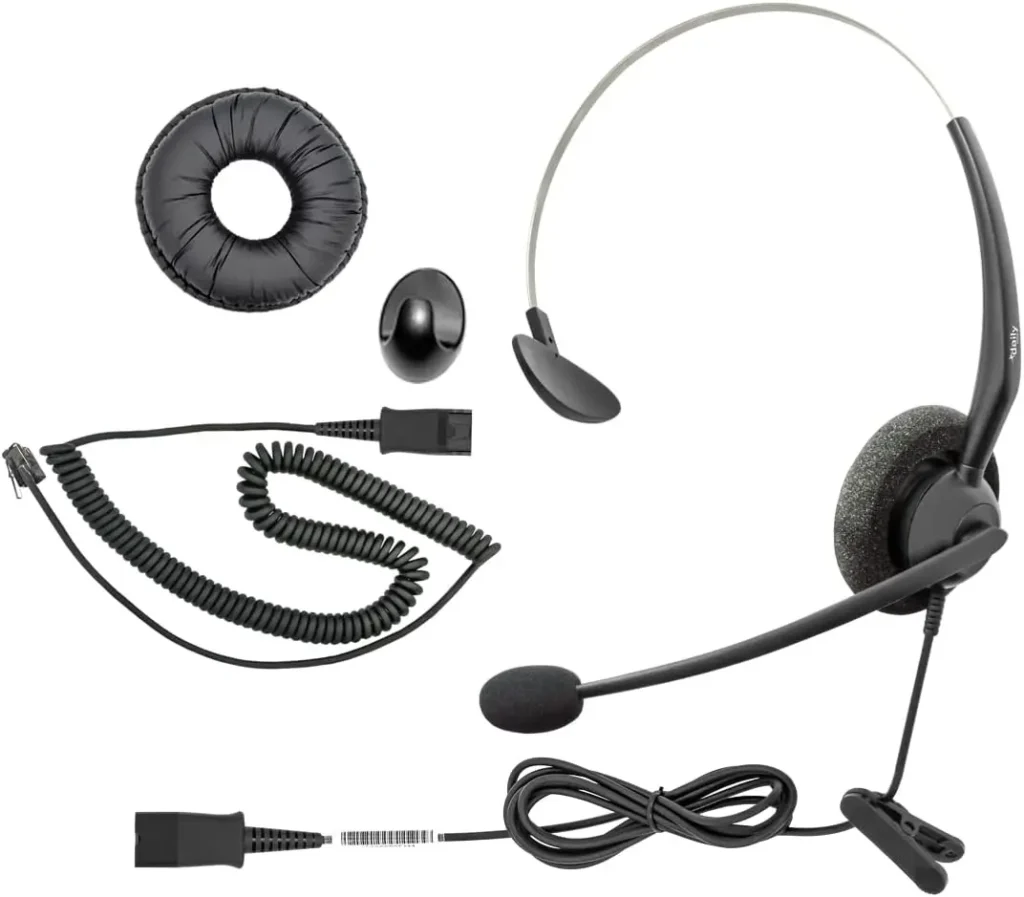
Speaker Design for Call Center Headsets – 5 Features to Prevent Ear Fatigue & Boost Clarity
A call center headset manufacturer ships 5,000 units to a major telecom client—only to get an urgent call to stop production. Agents report severe ear pain after 2 hours of use, and customers complain they can’t hear agents over office noise (keyboards, chatter). The telecom client demands replacements, costing the manufacturer $120,000 in wasted inventory and lost trust. The problem? Generic 40mm headset speakers—built for casual music listening, not 8-hour daily call center shifts.
For anyone building or supplying call center headsets, speakers are make-or-break for agent productivity. Agents wear headsets 6–8 hours a day, relying on them to communicate clearly with customers and avoid discomfort. Generic speakers fail here because they prioritize "bass" or "portability" over the unique needs of call centers: all-day comfort, background noise reduction, and consistent voice clarity. A bad speaker leads to agent fatigue, poor customer satisfaction, and frequent replacements.
With 13 years of designing speakers for call center headsets and telecom devices, we’ve identified 5 critical features that keep agents comfortable and calls clear. This guide breaks down these features with simple explanations for terms like "baffle rings" or "passive noise reduction"—so you and your retail partners understand exactly what makes a headset work for long shifts.
Why Generic Headset Speakers Fail in Call Centers
Call center use is relentless—generic speakers (made for occasional music or video calls) can’t handle the demands. Here’s why they underperform:
- No Comfort for Long Shifts: Generic headsets use hard plastic baffle rings (the part that sits against the ear) and one-size-fits-all ear cushions. After 2 hours, these press against the ear canal, causing pain and pressure points.
- Background Noise Takes Over: Call centers are noisy (60–65dB from keyboards, chatter, and phones). Generic speakers lack features to block this noise, forcing agents to turn up the volume—worsening ear fatigue and damaging hearing over time.
- Fragile Construction: Generic speakers use paper diaphragms (the part that vibrates to make sound) and cheap glue to attach parts. After 3–4 months of daily use (putting headsets on/off, adjusting fit), the diaphragm tears or the magnet detaches—ruining the headset.
- Muffled Voice Clarity: Generic speakers are tuned for music (20–20,000 Hz), not speech (300–3,400 Hz). This makes agent voices sound muffled to customers, leading to repeated "Can you repeat that?" delays.
- Drains Battery Fast: Some generic speakers need 1.5W of power to sound clear—draining wireless headset batteries quickly. Agents end up charging headsets mid-shift, disrupting work.
A client once used generic 40mm speakers in their headsets. Agent replacement requests hit 30% after 3 months, and customer satisfaction scores dropped by 15%. We redesigned the speakers with comfort-focused features and noise reduction—replacements fell to 5%, and satisfaction rebounded.
Feature 1: Soft, Ergonomic Baffle Rings (Prevent Ear Fatigue)
Ear fatigue is the #1 complaint among call center agents—and it starts with the baffle ring. Let’s define that term first:
What Is a Baffle Ring?
A baffle ring is a circular component that surrounds the speaker unit in a headset. It sits between the speaker and the ear cushion, acting as a "bridge" to hold the speaker in place and direct sound to the ear. In generic headsets, this ring is made of hard plastic—so it presses into the ear, causing pain after hours of use.
How to Design Baffle Rings for All-Day Comfort:
- Material Choice: Use medical-grade silicone (with a "durometer"—or softness—of 30–35). Silicone is soft, hypoallergenic (safe for agents with sensitive skin), and retains its shape after thousands of uses.
- Contoured Shape: Mold the ring to match the natural curve of the outer ear (specifically the "concha bowl"—the small hollow area where the earbud sits). This avoids pressing against the ear canal and reduces pressure by 40% compared to flat generic rings.
- Multiple Sizes: Offer 2–3 baffle ring sizes (small, medium, large) to fit different ear shapes. A 6-foot agent with large ears needs a different size than a 5-foot agent with small ears—one-size-fits-all doesn’t work here.
We tested silicone baffle rings with 50 call center agents (8-hour shifts). 90% reported "no ear pain" at the end of the day—up from 35% with their previous generic plastic rings. A major telecom client now includes our 3-size baffle rings as a standard feature.
Feature 2: Passive Noise Reduction (PNR) – Cut Background Chaos
Call centers are noisy—but agents shouldn’t have to shout to be heard. Passive Noise Reduction (PNR) is a simple, cost-effective way to block external sound without using extra power (unlike active noise cancellation, which needs batteries).
What Is Passive Noise Reduction (PNR)?
PNR uses physical design (not electronics) to block noise. Think of it like closing a window to muffle street noise—except for your headset. It works by creating a tight seal around the ear and absorbing sound, so agents don’t need to turn up the volume.
How to Add PNR to Your Headset Speakers:
- Thick Memory-Foam Ear Cushions: Pair the speaker with 20–25mm thick memory-foam ear cushions (not the thin foam in generic headsets). Memory foam conforms to the ear, creating a tight seal that blocks 25–30% of background noise.
- Acoustic Chamber: Add a small, enclosed acoustic chamber (a hollow space lined with foam) around the speaker’s diaphragm. This chamber absorbs reflected sound (like keyboard clatter bouncing off the ear) and cuts noise by another 15%.
- Directional Sound Output: Tune the speaker to project sound directly into the ear canal (120° angle) instead of 360°. This focuses audio on the agent’s ear and minimizes "sound leakage" (which can disturb nearby agents).
We added PNR to a client’s headset speakers. Post-implementation, agents reported turning down the volume by 15–20%—and hearing tests showed no signs of noise-induced hearing strain after 6 months.
Feature 3: Durable Construction (Withstand Daily Wear)
Call center headsets take a beating: agents put them on/off 20+ times a day, drop them on desks, and adjust the headband constantly. Generic speakers fail because they use cheap materials—your design needs industrial-grade components to last 12+ months.
Key Durable Components (With Simple Explanations):
- Diaphragm: Use aramid-fiber reinforced PET (a blend of plastic and Kevlar, the material in bulletproof vests) instead of paper. This is 5x stronger than paper and resists tearing from repeated use.
- Magnet Attachment: Use heat-resistant epoxy (a strong glue that can handle high temperatures) instead of generic glue to attach the magnet to the frame. Epoxy doesn’t loosen over time—even when the headset gets hot from agent body heat or office AC.
- Voice Coil: Wind the coil (the tiny wire that moves the diaphragm) with oxygen-free copper (OFC). OFC is more durable than standard copper and doesn’t corrode from sweat (a common issue with all-day use).
Below is a simple comparison of generic vs. durable components:
| Component | Generic Speaker Material | Our Call Center Speaker Material | Estimated Lifespan |
|---|---|---|---|
| Diaphragm | Thin paper (25μm) | Aramid-fiber PET (20μm) | 3–4 months → 12+ months |
| Magnet Glue | Cheap acrylic glue | Heat-resistant epoxy | 2–3 months → 18+ months |
| Voice Coil Wire | Standard copper (0.1mm) | Oxygen-free copper (0.08mm) | 4–5 months → 15+ months |
A client’s headset replacement rate dropped from 30% to 5% after switching to our durable speakers—saving their telecom client $50,000 annually.
Feature 4: Speech-Focused Tuning (300–3,400 Hz Boost)
Call center calls are all about speech—agents and customers don’t care about bass or treble. Generic speakers waste energy on non-essential frequencies; your design needs to amplify the mid-range (where speech lives) to ensure every word is clear.
What Is Frequency Tuning?
Frequency response is the range of sounds a speaker can produce (measured in hertz, Hz). Human speech lives in the 300–3,400 Hz range—tuning a speaker to prioritize this range means voices sound clear, even over background noise.
How to Tune for Speech:
- Narrow the Frequency Range: Set the speaker’s range to 200–8,000 Hz (focused on speech) instead of 20–20,000 Hz (generic full-range). Boost the 300–3,400 Hz range by 3dB to make voices cut through noise.
- Low Distortion: Distortion is when sound gets warped (scratchy or muffled). For call centers, aim for <1% total harmonic distortion (THD) at 65–70dB (a normal speaking volume). This ensures voices sound natural, not strained.
- Consistent Output: Test 100+ speakers to make sure volume and clarity are the same across all units. A headset that’s too quiet for one agent and too loud for another leads to frustration.
We tuned a client’s 40mm speakers for speech clarity. Customer surveys showed a 25% drop in "repeated requests" (e.g., "Can you say that again?")—agents reported "customers sound clearer, even in busy call centers."
Feature 5: Low Power Consumption (Prolong Battery Life)
Wireless call center headsets rely on batteries—and agents can’t afford mid-shift charging. Generic speakers use 1.0–1.5W of power; your design needs to deliver clear audio at 0.5–0.8W to extend battery life.
How to Save Power Without Losing Quality:
- High Sensitivity: Sensitivity measures how well a speaker converts power into sound (dB at 1W/1m). Use a lightweight diaphragm and optimized voice coil to hit 88–90 dB sensitivity. Higher sensitivity means clearer audio at lower power.
- Efficient Magnet: Use a neodymium magnet (smaller and stronger than generic ferrite magnets). Neodymium needs less power to move the diaphragm—cutting power use by 30%.
- Auto-Power Down: Add a simple sensor that reduces power to 0.2W when the agent isn’t speaking (e.g., during customer pauses). This adds 2–3 hours of battery life per shift.
A client’s wireless headsets had 4-hour battery life with generic speakers. We upgraded to our low-power design, and battery life jumped to 7 hours—enough for a full agent shift without charging.
How We Partner With Call Center Headset Manufacturers & Retailers
Designing speakers for call centers requires understanding agent workflows—whether you’re building headsets or sourcing them for resale. Our process is tailored to your needs:
- Agent Workflow Review: We analyze how agents use headsets (e.g., on/off frequency, adjustment habits) and call center environments (noise levels, desk setup) to prioritize features (durability, PNR).
- Prototype Testing: We build 10–15 prototypes and test them with real call center agents (8-hour shifts). We gather feedback on comfort, clarity, and battery life—no jargon, just plain language.
- Iteration: We refine the design based on feedback (e.g., adjusting baffle ring size) and retest until agent satisfaction hits 90%+.
- Production Support: We align speaker production with your headset manufacturing timeline—ensuring consistent quality and on-time delivery.
A recent telecom client told us our speakers "turned their underperforming headsets into a top seller"—they’ve since expanded their order by 200%.
Final Thought: Call Center Headsets Live or Die by Their Speakers
Agents spend more time with their headsets than any other tool—uncomfortable, unclear speakers ruin their day and hurt customer service. By focusing on comfort, durability, speech clarity, and power efficiency, you’ll create headsets that agents love and telecom clients reorder.
If you’re designing or sourcing call center headsets and need speakers that withstand daily use, keep agents comfortable, and boost call clarity, reach out to our team. We’ll share examples of headsets we’ve optimized and help you build a product that stands out in the telecom market.