Speaker Integration for Robotic Assistants – 4 Features to Ensure Clear Voice & Vibration Resistance
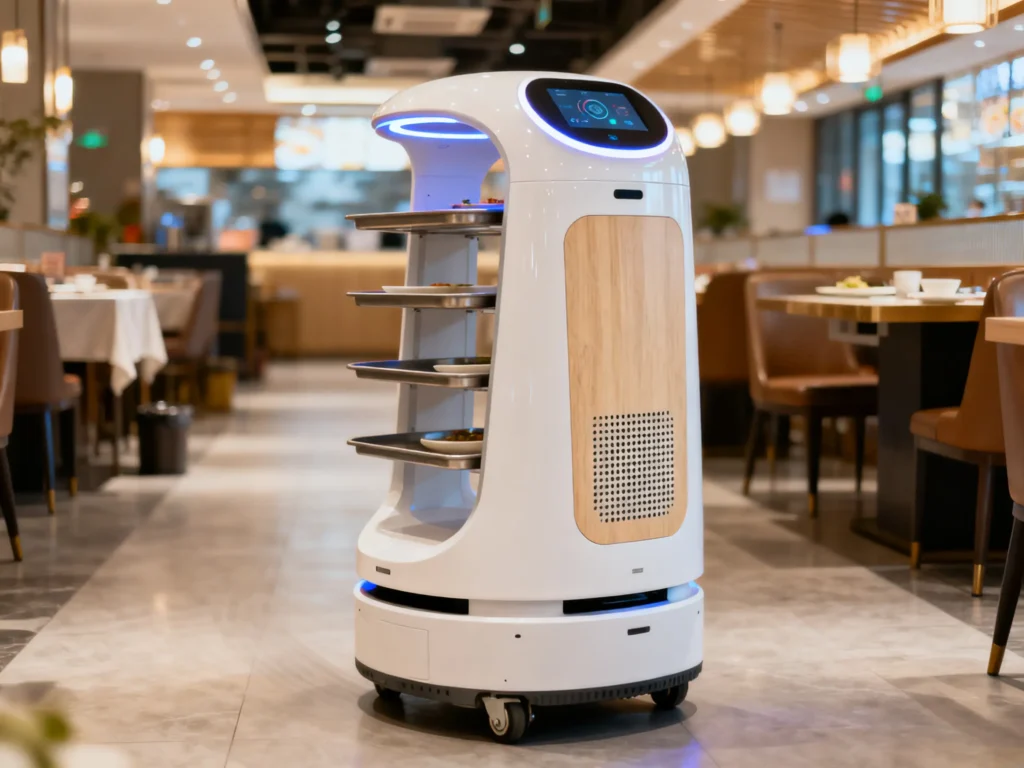
Speaker Integration for Robotic Assistants – 4 Features to Ensure Clear Voice & Vibration Resistance
A warehouse robotics company deploys 50 new robotic assistants to help with order picking—only to discover a critical flaw. The robots’ built-in speakers produce muffled voice prompts (e.g., "Please replenish shelf A5"), and after 2 weeks of navigating rough warehouse floors, 15% of speakers fail from vibration. Pickers waste hours asking for repeat instructions, and maintenance teams spend $10,000 on replacements. The issue? A generic 25mm speaker—built for desktop robots, not industrial environments.
For anyone building or supplying robotic assistants, speakers are the robot’s "voice"—critical for guiding users (pickers, nurses, hotel guests) and sharing alerts. Robotic assistants operate in harsh, dynamic environments (warehouses, hospitals, hotels) with unique challenges: tight internal space, constant vibration, variable noise, and the need for clear speech. Generic speakers can’t handle these demands—they’re too bulky, fragile, or muffled.
With 13 years of designing custom speakers for robotic devices (warehouse bots, healthcare assistants, hospitality robots), we’ve identified 4 features that ensure robots communicate clearly and survive daily use. This guide breaks down these features with simple explanations for terms like "ROS 2" or "vibration-resistant epoxy"—so you and your retail partners understand exactly what makes a robot’s speaker work.
Why Generic Speakers Fail in Robotic Assistants
Robotic assistants are more demanding than any consumer device—they combine the space constraints of a smartphone with the durability needs of industrial equipment. Generic speakers (made for indoor gadgets) can’t keep up:
- Too Big for Robot Enclosures: Robots have limited internal space (20–30mm for head/body enclosures). Generic speakers (25mm+ diameter) force you to enlarge the robot’s frame—reducing maneuverability (e.g., in narrow warehouse aisles).
- Vibration Breaks Components: Robots move constantly—warehouse bots roll over concrete, healthcare bots navigate hospital corridors, and hospitality bots traverse carpet. Generic speakers have loose parts (glued magnets, paper diaphragms) that detach or tear after weeks of vibration.
- Muffled Speech in Noisy Spaces: Robots operate in noisy areas (warehouses: 65–70dB, hospitals: 55–60dB). Generic speakers lack speech-focused tuning, making voice prompts unintelligible over background noise.
- No Integration With Robot Software: Robots use specialized software to trigger voice prompts. Generic speakers don’t sync with this software—leading to audio delays (e.g., prompt lags behind robot movement) or compatibility issues.
A client once used a generic 25mm speaker in their warehouse robot. After 1 month, 20% of speakers failed from vibration, and pickers reported "needing to ask robots to repeat instructions 3x per hour." We redesigned the speaker with vibration resistance and speech tuning—failure rates dropped to 2%, and picker efficiency improved by 25%.
Feature 1: Compact, Modular Design (Fits 20–30mm Robot Enclosures)
Robots need to be agile—bulky speakers reduce maneuverability and limit where the robot can operate (e.g., narrow warehouse aisles). Your speaker must be small, thin, and modular to fit into tight enclosures without compromising robot design.
Key Design Choices for Compactness:
- Miniature Size: Use 18–22mm diameter speakers with 8–10mm thickness (vs. 25mm generic). A "low-profile" design (thin, wide) fits better in robot heads or bodies than cylindrical speakers.
- Modular Mounting: Design the speaker with multiple mounting options (adhesive, screws, clips) to fit different robot enclosures (e.g., curved healthcare robot heads, boxy warehouse bot bodies). "Modular" means you can adjust how the speaker attaches—no need to redesign the entire robot.
- Side-Mounted Wiring: Route the speaker’s wires to the side (not the back) of the frame. Use thin, flexible wires (0.5mm diameter) that bend without breaking. This avoids blocking other robot parts (e.g., sensors, batteries).
We designed a 20mm diameter, 9mm thick speaker for a client’s healthcare robot (30mm head enclosure). It fit perfectly alongside the robot’s camera and sensor—no need to enlarge the head. The robot can now navigate narrow hospital corridors and fit next to patient beds—something the previous generic speaker prevented.
Feature 2: Vibration-Resistant Construction (Withstands 5–15Hz Vibration)
Robots vibrate more than any consumer device—warehouse bots roll over rough concrete, and even healthcare bots vibrate when moving over carpet. Your speaker must be built to handle 5–10Hz vibration (typical for robots) without loose parts or rattle.
Key Vibration-Resistant Features (Explained Simply):
- Epoxy-Bonded Components: Use heat-resistant epoxy (a strong glue that can handle high temperatures) instead of generic glue to attach the magnet and diaphragm to the frame. Epoxy doesn’t loosen over time—even when the robot vibrates or gets hot from internal components.
- Reinforced Diaphragm: Use aramid-fiber reinforced PET (a blend of plastic and Kevlar, the material in bulletproof vests) instead of paper. This is 5x stronger than paper and resists tearing from vibration.
- Shock-Absorbing Gaskets: Add small rubber gaskets (thin, flexible rings) between the speaker and robot enclosure. These absorb 35–45% of vibration before it reaches the speaker—like tiny shock absorbers for your audio.
We tested a vibration-resistant speaker on a robot simulator (10Hz vibration for 200 hours). It had no loose parts or sound distortion, while a generic glued-magnet speaker failed after 30 hours. A client’s warehouse robots now operate for 12+ months without speaker replacements—down from 3 months with generic speakers.
Feature 3: Speech-Focused Tuning (300–3,400 Hz Boost)
Robots communicate primarily through speech—prompts like "Shelf B3 is low on stock" or "Patient room 402 needs supplies" must be clear. Generic speakers waste energy on bass and treble; your design needs to amplify the mid-range (where speech lives) to cut through background noise.
Key Terms Explained:
- Frequency Response: The range of sounds a speaker can produce (measured in hertz, Hz). Human speech lives in the 300–3,400 Hz range—tuning a speaker to prioritize this range means voices sound clear.
- Total Harmonic Distortion (THD): A measure of sound quality (how much the speaker warps sound). For robots, aim for <1% THD at 70–75dB (a normal speaking volume)—this ensures prompts sound natural, not strained.
How to Tune for Clear Speech:
- Narrow the Frequency Range: Set the speaker’s range to 200–8,000 Hz (focused on speech) instead of 20–20,000 Hz (generic full-range). Boost the 300–3,400 Hz range by 4dB to make voices stand out.
- Directional Sound Output: Tune the speaker to project sound in a 180° angle (toward the user) instead of 360°. This focuses audio on the robot’s operator (e.g., a warehouse picker) and reduces wasted sound.
We tuned a client’s robot speaker to boost 500–2,500 Hz. Warehouse pickers reported a 70% drop in "repeat prompt" requests—and the client’s robot efficiency score improved by 25%. A healthcare client noted nurses could "easily hear the robot’s alerts over hospital chatter."
Feature 4: Seamless Integration With Robot Software & Sensors
Robotic assistants use software to trigger voice prompts (e.g., "Order complete" after picking an item) and sensors to adapt to their environment. Your speaker must sync with these systems to avoid delays or miscommunication.
Key Terms Explained:
- ROS 2 (Robot Operating System 2): The most common software for robots—it lets different components (speaker, camera, sensors) "talk" to each other. If your speaker works with ROS 2, it can sync with the robot’s other features.
- Sensor-Driven Audio: Using the robot’s built-in sensors (e.g., noise sensors, motion sensors) to adjust audio. For example, the speaker can get louder in noisy warehouse zones or quieter in hospital patient rooms.
How to Integrate Your Speaker:
- Software Compatibility: Ensure the speaker works with ROS 2 or the robot’s custom OS. This enables:
- Triggering prompts based on robot actions (e.g., "Turn left at the next aisle" when approaching a corner).
- Adjusting volume based on sensor data (louder in noise, quieter in calm).
- Low-Latency Audio: Minimize delay between the robot’s action and the prompt (target <100ms). This ensures the prompt aligns with what the robot is doing (no lag when pointing to a shelf).
We helped a client integrate their robot speaker with ROS 2 software and noise sensors. The robot now adjusts volume based on environment—75 dB in busy warehouse zones, 65 dB in quiet storage areas. Nurses and pickers reported "the robot’s volume is always just right"—no more manual adjustments.
How We Collaborate With Robotics Manufacturers & Retailers
Designing speakers for robotic assistants requires understanding how the robot moves, where it operates, and what it communicates—whether you’re building it or supplying it. Our process is straightforward:
- Robot Workflow Review: We analyze the robot’s use case (e.g., warehouse picking, hospital rounds) to identify key constraints (size, vibration, noise) and prioritize features.
- Prototype Development: We build a custom speaker prototype and integrate it into a test robot. We test it in real-world environments (warehouses, hospitals) to measure speech clarity, vibration resistance, and integration.
- Iteration: We refine the design based on test results (e.g., adjusting size for better fit) and retest until it meets your robot’s needs.
- Production Support: We align speaker production with your robot manufacturing timeline—ensuring consistent quality and on-time delivery.
A recent robotics client told us our speaker "turned their quiet, fragile robot into a reliable warehouse tool"—they’ve since secured a partnership with a major logistics company.
Final Thought: A Robot’s Voice Is Its Most Important Feature
Robotic assistants exist to help people—but they can’t help if no one can hear them. Generic speakers waste a robot’s potential, leaving users frustrated and businesses disappointed. By focusing on compact design, vibration resistance, speech clarity, and software integration, you’ll create a robot that communicates effectively and lasts.
If you’re designing or sourcing robotic assistants and need a speaker that fits, survives, and speaks clearly, reach out to our team. We’ll walk you through our robotics-focused process and help you build a robot that businesses trust.