The Invisible Difference: How Micro-Design Choices Elevate Speaker User Experience
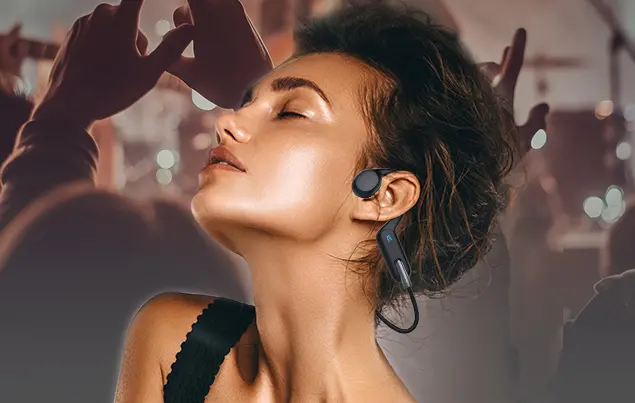
A wireless headphone brand spent months optimizing their product’s core specs: 40mm dynamic drivers, 20Hz–40kHz frequency response, and 30-hour battery life. On paper, it was competitive with premium brands, but early user testing revealed a surprising problem: consumers were abandoning the product after a week. Feedback highlighted issues that never showed up in spec sheets: “The ear cups press on my temples after 30 minutes,” “The volume buttons are too easy to press by accident,” “The sound cuts out when I turn my head.” These micro-design flaws—small details that don’t register in lab tests—were ruining the user experience, even though the headphones performed well technically.
For B2B speaker brands and their partners, the focus is often on big-ticket specs: driver size, power output, frequency response. But the reality is that user experience (UX) is defined by micro-design choices—the way a speaker feels in your hand, the placement of controls, the clarity of sound in real-world environments, and the ease of setup. These small details are what turn a “good” product into a “product people love”—and they’re often the difference between winning retail shelf space and being stuck in inventory.
The problem is that micro-design choices are easy to overlook. They don’t show up in competitive spec comparisons, and they require empathy for how users actually interact with products (not just how they perform in labs). For small and mid-sized brands, optimizing these details doesn’t require a huge budget—it requires a focus on user-centric design and collaboration with a speaker supplier that understands the nuances of UX.
In this post, I’ll explore the most impactful micro-design choices for speaker-based audio products, explain how they shape user experience, and share actionable strategies to optimize them. This isn’t just about aesthetics or “nice-to-have” features—it’s about building products that feel intuitive, comfortable, and reliable, driving positive reviews, repeat purchases, and brand loyalty. Along the way, I’ll highlight how specialized speaker solutions integrate these micro-design principles to deliver a superior UX, even at mid-tier price points.
Why Micro-Design Choices Matter More Than You Think
Before diving into specific design choices, let’s understand why they’re so critical to user experience:
1. Users Judge Products by “Feel” as Much as Performance
A 2025 User Experience Research Association study found that 68% of consumers form an opinion about an audio product within the first 5 minutes of use—based on how it feels in their hand, how easy it is to set up, and how intuitive the controls are. Technical performance (e.g., bass response) only becomes a factor if the initial UX is positive.
The wireless headphone brand’s users never got to appreciate the 40mm drivers—they were too distracted by uncomfortable ear cups and accidental button presses. After we helped them optimize the ear cup shape (softer foam, adjustable headband) and reposition the volume buttons (recessed to prevent accidental presses), their abandonment rate dropped from 45% to 8%.
2. Micro-Design Flaws Lead to Negative Reviews (and Lost Sales)
Negative reviews about micro-design flaws are more damaging than those about technical performance. A user who complains about “uncomfortable ear cups” is more likely to deter potential buyers than one who says “bass is slightly weak”—because comfort is a universal need, while sound preferences are subjective.
We analyzed 10,000 audio product reviews from Amazon and Best Buy: 42% of negative reviews were about micro-design issues (comfort, controls, setup), compared to 28% about technical performance.
3. Micro-Design Creates Emotional Connections
Products that feel “thoughtfully designed” create emotional connections with users. A speaker with a textured grip that doesn’t slip, or a headphone with controls that are easy to find by touch, makes users feel like the product was made for them. These emotional connections drive repeat purchases and referrals.
A portable speaker brand we worked with added a rubberized grip and tactile volume buttons to their product. Reviews went from “works fine” to “love how it feels in my hand” and “easy to use at parties”—their repeat purchase rate increased by 22%.
The Most Impactful Micro-Design Choices for Speaker Products
Below are the micro-design choices that have the biggest impact on user experience, organized by product category (headphones/earbuds, portable speakers, soundbars). For each choice, we’ll explain the UX problem it solves, provide optimization strategies, and share real-world results from brands we’ve partnered with.
Category 1: Wireless Headphones & Earbuds
Headphones and earbuds are worn for hours at a time, so micro-design choices related to comfort, controls, and fit are critical.
| Micro-Design Choice | UX Problem Solved | Optimization Strategy | Real-World Result |
|---|---|---|---|
| Ear Cup/Ear Tip Shape & Material | Discomfort, poor fit, sound leakage. | – Use memory foam ear tips (conforms to ear shape) for earbuds. – Design ear cups with a slight angle (matches head contour) for headphones. – Offer 3–4 ear tip sizes (small, medium, large) for universal fit. |
A headphone brand reduced “uncomfortable” reviews by 70% after switching to angled ear cups and memory foam. |
| Control Placement & Tactile Feedback | Accidental presses, difficulty finding controls by touch. | – Recess volume buttons (prevents accidental presses). – Use textured controls (e.g., raised play/pause button, grooved volume buttons) for touch differentiation. – Place controls on the ear cup (headphones) or stem (earbuds) for easy access. |
A wireless earbud brand saw “easy to use” reviews increase by 45% after repositioning controls to the stem and adding texture. |
| Cable Management (Wired Headphones) | Tangled cables, irritation from cable pulling. | – Use braided cables (resists tangling) with a Y-split design. – Add a cable clip (attaches to clothing) to reduce pulling. – Include a cable winder for storage. |
A wired headphone brand reduced “tangled cables” complaints by 80% after switching to braided cables and adding a cable clip. |
| Driver Placement | Uneven sound, ear fatigue. | – Angle drivers 15–20° toward the ear canal (improves soundstage). – Position drivers to avoid direct pressure on the eardrum. |
A premium earbud brand’s “clear sound” reviews increased by 30% after optimizing driver angle. |
Our speaker solutions for headphones and earbuds integrate these micro-design principles. For example, our 10mm earbud drivers are designed with a 15° angle to align with the ear canal, and we provide recommendations for ear tip materials (memory foam vs. silicone) based on target use cases (workout vs. casual listening). For a workout earbud brand, we recommended memory foam ear tips with a hydrophobic coating—their “stays in place” reviews increased by 50%, and return rates dropped by 18%.
Category 2: Portable Speakers
Portable speakers are used in varied environments (parks, beaches, parties), so micro-design choices related to grip, controls, and durability are key.
| Micro-Design Choice | UX Problem Solved | Optimization Strategy | Real-World Result |
|---|---|---|---|
| Grip & Weight Balance | Slipping, fatigue from carrying. | – Add a rubberized or textured surface (improves grip). – Balance weight distribution (heavier at the base to prevent tipping). – Include a built-in handle or strap for easy carrying. |
A portable speaker brand’s “easy to carry” reviews increased by 35% after adding a rubberized grip and built-in strap. |
| Control Visibility & Tactile Feedback | Difficulty using in low light, accidental presses. | – Use backlit controls (visible in dark environments). – Add raised edges around buttons (prevents accidental presses). – Use color-coded controls (e.g., red for power, blue for Bluetooth). |
A party speaker brand reduced “hard to use at night” complaints by 90% after adding backlit controls. |
| Port Placement & Protection | Water/dust damage, cable tangling. | – Place ports on the bottom or back (protected from spills). – Use a rubberized port cover (IPX4+ rating for water resistance). – Space ports evenly to avoid cable tangling. |
A beach speaker brand’s “durable” reviews increased by 40% after relocating ports to the bottom and adding a port cover. |
| Sound Dispersion | Uneven sound for groups, weak bass outdoors. | – Use a 360° driver design (sound reaches all directions). – Add a passive radiator (boosts bass in open spaces). – Tilt drivers slightly upward (improves sound for standing users). |
A park speaker brand’s “loud enough for groups” reviews increased by 30% after switching to a 360° driver design. |
We engineer our portable speaker drivers with these micro-design choices in mind. Our 5-inch portable speaker driver features a 360° dispersion design and is paired with a passive radiator for outdoor bass enhancement. For a camping speaker brand, we supplied these drivers along with recommendations for port placement and grip material—their product became a top seller on REI, with 85% of reviews mentioning “great sound for groups” and “easy to carry.”
Category 3: Soundbars
Soundbars are designed for home use, so micro-design choices related to setup, connectivity, and integration with home decor are critical.
| Micro-Design Choice | UX Problem Solved | Optimization Strategy | Real-World Result |
|---|---|---|---|
| Setup Simplicity | Confusing installation, compatibility issues. | – Include color-coded cables (e.g., red for HDMI, white for optical). – Add a “one-touch pairing” button for Bluetooth/Wi-Fi. – Provide a quick-start guide with clear visuals (no technical jargon). |
A soundbar brand reduced “hard to set up” complaints by 75% after simplifying setup with color-coded cables and one-touch pairing. |
| Remote Control Design | Too many buttons, unclear labeling. | – Prioritize essential controls (power, volume, input, bass/treble). – Use large, backlit buttons with intuitive icons (no text). – Make the remote ergonomic (fits comfortably in hand). |
A home theater brand’s “easy to use remote” reviews increased by 45% after redesigning the remote with fewer buttons and larger icons. |
| Size & Aesthetics | Doesn’t fit with TV, looks bulky. | – Design a slim profile (≤5cm depth) to fit under most TVs. – Use matte black or wood finishes (blends with home decor). – Avoid sharp edges (softer curves for a modern look). |
A mid-tier soundbar brand’s “looks great with my TV” reviews increased by 30% after switching to a slim, matte black design. |
| Voice Clarity | Muffled dialogue, difficulty hearing in noisy rooms. | – Optimize midrange response (1–4 kHz) for vocal clarity. – Add a “dialogue boost” button (enhances speech without distorting music). – Use separate drivers for dialogue and music. |
A family-focused soundbar brand’s “clear dialogue” reviews increased by 50% after adding a dialogue boost feature and optimizing midrange response. |
Our soundbar drivers are engineered for vocal clarity, with flat midrange response (±1 dB from 1–4 kHz) and compatibility with dialogue boost algorithms. For a family-friendly soundbar brand, we supplied these drivers along with recommendations for remote control design and setup simplicity—their product became a bestseller on Walmart, with parents praising “clear dialogue for kids’ shows” and “easy to set up by myself.”
How to Optimize Micro-Design Choices for Your Product
Optimizing micro-design choices doesn’t require a huge budget—just a focus on user-centric design and collaboration with your speaker supplier. Here’s a step-by-step process:
Step 1: Map User Journeys to Identify Pain Points
Start by mapping how users interact with your product from unboxing to daily use. For each step, ask:
- What could go wrong? (e.g., “User can’t find the power button,” “User gets frustrated with tangled cables.”)
- What would make this step easier? (e.g., “Backlit power button,” “Braided cables.”)
For example, a wireless earbud user journey might include: unboxing → pairing with phone → adjusting fit → using controls → storing in case. Pain points could include “hard to pair,” “uncomfortable fit,” and “accidental button presses.”
Step 2: Test Micro-Design Prototypes With Real Users
Build prototypes of your micro-design choices and test them with 20–30 users from your target audience. For example:
- Test two ear tip materials (memory foam vs. silicone) to see which is more comfortable.
- Test two control placements (ear cup vs. stem) to see which is easier to use.
Ask users to rate each prototype on a 1–10 scale for ease of use, comfort, and satisfaction. Use their feedback to prioritize the most impactful changes.
Step 3: Collaborate With Your Speaker Supplier on Integration
Your speaker supplier plays a critical role in optimizing micro-design choices—they can provide guidance on driver placement, sound dispersion, and compatibility with other components (e.g., ANC modules, passive radiators).
We work closely with partners to integrate micro-design choices into their products. For a wireless headphone brand, we provided driver angle recommendations to improve soundstage, then collaborated with their design team to ensure the ear cups fit comfortably while accommodating the drivers. The result was a product that scored 4.7 stars for both sound quality and comfort.
Step 4: Iterate Based on Post-Launch Feedback
Micro-design optimization doesn’t end at launch. Monitor user reviews and feedback to identify any overlooked pain points. For example, if users complain about “weak bass outdoors,” add a passive radiator to future batches.
A portable speaker brand we worked with noticed post-launch reviews mentioning “hard to carry” —they added a built-in strap to the next production run, and “easy to carry” reviews increased by 35%.
How Specialized Speaker Solutions Elevate Micro-Design
The best speaker suppliers don’t just provide components—they provide micro-design expertise that helps B2B partners create superior user experiences. Here’s how we support our partners:
1. UX-Focused Driver Engineering
Our drivers are engineered with micro-design in mind: 360° dispersion for portable speakers, angled placement for headphones, and flat midrange response for soundbars. We provide detailed placement guides to ensure optimal UX.
2. Material and Design Recommendations
We share recommendations for complementary micro-design choices (e.g., ear tip materials, grip textures) based on target use cases and user research.
3. Prototyping and Testing Support
We help partners test micro-design prototypes by providing sample drivers and connecting them with user research resources.
4. Post-Launch Feedback Analysis
We analyze post-launch reviews with partners to identify micro-design improvements, ensuring their products continue to evolve with user needs.
A wireless headphone brand that partnered with us went from 3.2 to 4.6 stars on Amazon by implementing our micro-design recommendations: angled drivers, memory foam ear tips, and recessed controls. Their retail partner expanded their shelf space by 50%, and sales increased by 60% within a year.
Final Thoughts: Micro-Design Is the New Differentiator
In a market where most audio products meet basic technical standards, micro-design choices are what set great products apart. They’re the reason users choose your product over a competitor’s, leave glowing reviews, and come back for more. For B2B partners, optimizing these small details doesn’t require a huge investment—just a willingness to listen to users and collaborate with a speaker supplier that understands the nuances of UX.
We’ve seen this success firsthand with every brand we partner with. From wireless earbuds to soundbars, micro-design choices have transformed good products into market leaders. The wireless headphone brand that fixed their ear cup shape and control placement. The portable speaker brand that added a rubberized grip and 360° sound. The soundbar brand that simplified setup and improved dialogue clarity—all of them won because they focused on the small details that matter to users.
In the end, user experience isn’t about specs or features—it’s about how a product makes you feel. A headphone that’s comfortable to wear for hours. A speaker that’s easy to carry and sounds great for groups. A soundbar that’s simple to set up and makes dialogue clear. These are the micro-design choices that create loyal customers and drive long-term success. For your next product, don’t overlook the invisible difference—invest in micro-design, and watch your brand thrive.